Email marketing continues to be one of the most effective ways to drive consistent traffic and revenue for businesses. Whether you’re a small business or an enterprise, you can scale email marketing campaigns with a solid strategy to the point where you’re getting 5,000 clicks per day. But how do you get there? What’s the secret behind those numbers?
In this technical guide, we’ll break down everything you need to know—from the infrastructure you’ll need to the best practices for maintaining deliverability at scale. We’ll make sure to cover how you can achieve those 5,000 clicks daily, the steps you should follow, and the timeline you can expect. By the end of this guide, you’ll have a clear plan to scale your email marketing like a pro!
Understanding the Numbers: A Reverse Engineering Approach
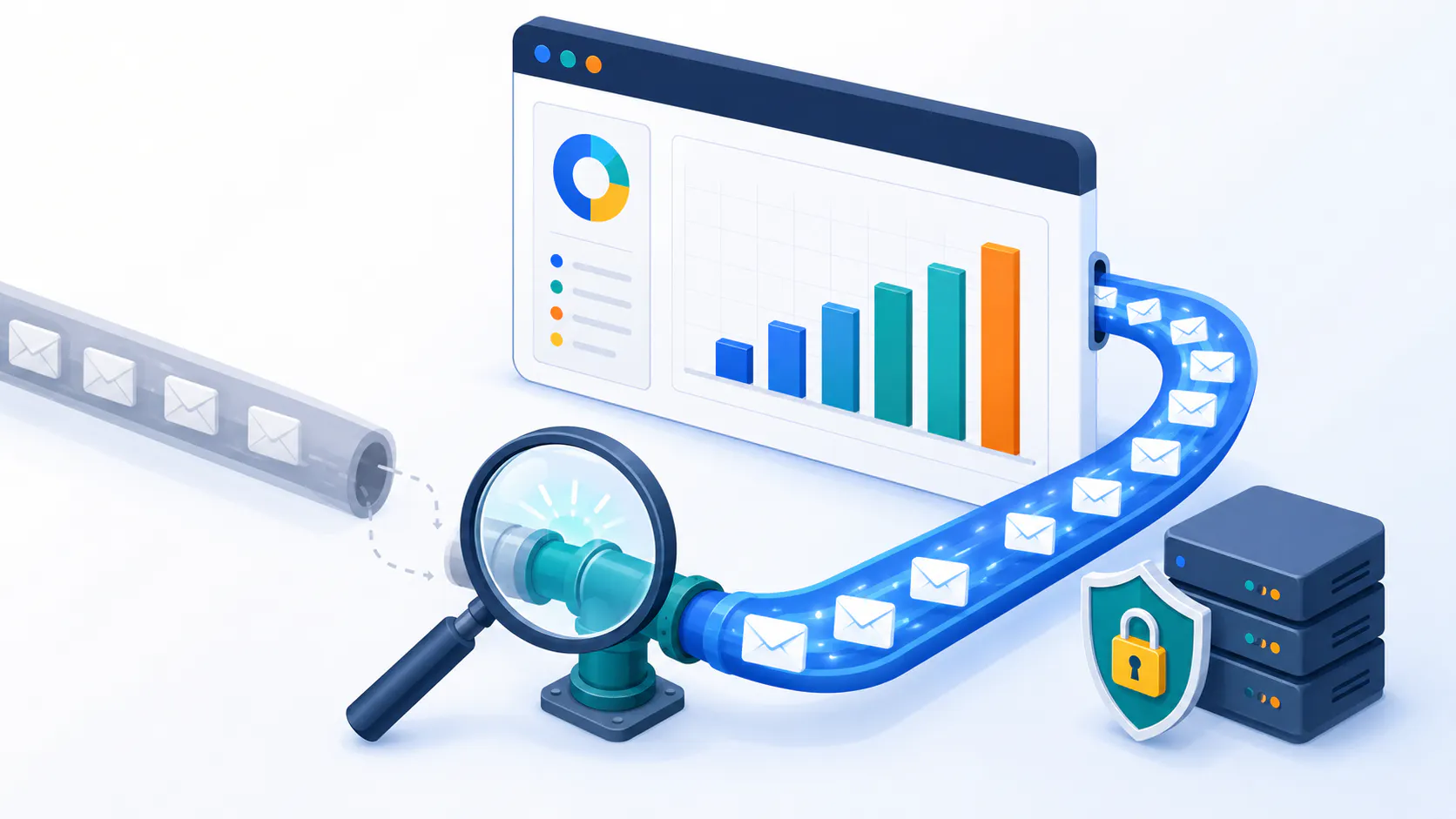
Illustration depicting a 5,000 email clicks per day.
Before we dive into the technicalities, let’s start with the basics: understanding the math behind your goals.
To achieve 5,000 clicks per day, you need to break down the numbers to make sure they’re realistic. The key is using industry-standard metrics to reverse-engineer your plan. Here’s how you do it:
Target: 5,000 clicks per day
Average Click-Through Rate (CTR): 3.5% (for highly engaged lists)
Required Opens: 142,857 (5,000 ÷ 3.5%)
Average Open Rate: 25% (for a quality list)
Required Deliveries: 571,428 (142,857 ÷ 25%)
Understanding email marketing benchmarks is crucial as they provide valuable insights into key performance indicators like average click-through rates (CTR). These benchmarks can guide your planning, ensuring that you’re going for achievable targets based on average CTR and open rates.
Now, accounting for natural email losses—such as bounces (1-2%) and email campaigns landing in spam folders (around 10%)—you’ll need to send approximately 649,373 email campaigns daily to hit your target. Sounds like a lot? That’s because it is! But don’t worry, we’ll guide you through how to handle this volume.
Infrastructure Requirements
At this scale, the technical foundation of your email marketing infrastructure needs to be solid. Here’s what you’ll need to get started:
1. Subscriber Base
To maintain consistent performance, you’ll need around 750,000 subscribers. But this isn’t just about having a large list. You need to keep it healthy and maintain high email engagement. Natural list decay (about 20-30% annually) is a common challenge. Subscribers will unsubscribe, change emails, or become inactive. So, to counteract this, it’s crucial to regularly grow and clean your list to make sure you’re sending email campaigns to people who actually want to receive them.
Actionable Tips:
Account for Decay: Over time, you will lose around 20-30% of your subscribers per year. To keep your list healthy, set a goal to grow your list by 25-35% each year. This will offset the losses and ensure you have a strong, engaged base to send email campaigns to.
List Hygiene: Clean your list regularly. Consider automating this process in your ESP by removing inactive users (those who haven’t opened email campaigns in the last 6 months). Keeping your list fresh improves your email deliverability and ensures your engagement rates stay high.
Subscriber Growth: Implement lead generation strategies for email marketing list building like offering free resources, hosting webinars, and running contests to attract new subscribers to replace lost ones.
2. Domain Structure
As you scale up to 650k+ daily email campaigns, your domain structure will become crucial for maintaining high deliverability. This involves having multiple sending domains, managing IPs, and ensuring your domains are properly rotated to avoid being flagged as spam.
Minimum 6-8 Sending Domains: You need at least 6-8 sending domains, each handling around 100,000 emails daily. This will allow you to spread the email volume across different domains, which is essential for protecting your sender reputation.
Domain Rotation: With this many email campaigns going out, rotating your domains is key. By shifting sending traffic from one domain to another, you avoid overloading any single domain and minimize the chances of being blacklisted.
Backup Domains: Always maintain backup domains in case one of your active sending domains faces issues. You can quickly switch to a backup domain to avoid disruption to your email campaigns.
Actionable Tips:
Domain Aging: Before sending high volumes of email, ensure your domains are aged. Newly created domains can trigger spam filters, so take the time to age your domains for at least 3-6 months to build trust with ISPs.
Domain Reputation: Regularly monitor the reputation of each domain you send from. Use tools like Google Postmaster or third-party services to check your domains’ standing with ISPs.
3. Technical Setup
You’ll need a reliable Email Service Provider (ESP) that can handle the volume of 650,000+ daily sends, plus the technical email marketing setup that ensures your email campaigns land in inboxes and not spam folders. This includes dedicated IPs, email authentication, and proper bounce management systems.
Actionable Tips:
ESP Selection: Choose a professional email marketing tool that supports large-scale operations. Platforms like Octeth and Sendloop can handle enterprise-grade sending volumes, provide robust email deliverability tools, and offer dedicated support for scaling.
Dedicated IPs: Request 1-2 dedicated IPs per domain. Shared IPs can affect your reputation if other users on the same IP engage in spammy behavior, so dedicated IPs will keep your sending reputation intact.
Email Authentication: Set up DKIM, SPF, and DMARC to ensure your email campaigns are properly authenticated and less likely to be flagged as spam.
DKIM: Use 2048-bit keys for added security, which ensures that your email campaigns are signed and verifiable.
SPF: Ensure your SPF record includes all sending IP addresses. This will help authenticate your emails and prevent them from being flagged as spoofed.
DMARC: Implement a DMARC policy to specify how ISPs should handle emails that fail SPF or DKIM checks. This protects your domain from phishing attacks and improves trust with recipients.
Feedback Loops: Set up feedback loops with major ISPs like Gmail and Yahoo Mail. These will notify you if recipients mark your emails as spam, allowing you to remove these subscribers and maintain a clean list.
Additional Tools:
Bounce Handling: Set up an automated bounce handling system to ensure emails that fail to deliver are flagged, and the corresponding email addresses are removed from your active lists to avoid wasted sends.
Mobile-Responsive Emails: Ensure that all email campaigns are mobile-friendly, as a significant portion of your audience will be reading your emails on mobile devices. Use templates that adjust automatically to various screen sizes.
Implementation Timeline
When scaling up to 650k daily sends, it’s important to have a structured and realistic timeline. Starting from scratch, here’s a breakdown of the stages you should follow:
Initial Setup (Weeks 1-4)
Domain Registration and Aging: The first step is to register your domains and begin the aging process. Domains should be aged for at least 3-6 months before you start using them for bulk sending to build trust with ISPs.
Technical Infrastructure Setup: Set up your dedicated IPs, ensure your email authentication systems (DKIM, SPF, DMARC) are configured, and integrate your ESP.
ESP Integration and Testing: Choose a platform like Sendloop or Octeth that can handle high volumes of email. Set up integration with your CRM and begin testing to ensure everything functions correctly.
Initial List Segmentation: Start segmenting your subscriber list based on key metrics like engagement levels and past purchase behaviors. This ensures that when you’re sending email marketing campaigns at scale, you’re targeting the right audience.
Actionable Tips:
Domain Aging: Aim for at least 3-6 months of domain history before launching campaigns from new domains.
ESP Testing: Run small, controlled test campaigns to ensure your technical setup is working smoothly before going live.
Warming Period (Weeks 5-10)
This is the critical phase where you slowly ramp up the volume of email marketing campaigns you send to build your sender reputation.
Per Domain Progressive Schedule:
Week 1: 2,000 emails/day → ~70 clicks
Week 2: 5,000 emails/day → ~175 clicks
Week 3: 15,000 emails/day → ~525 clicks
Week 4: 30,000 emails/day → ~1,050 clicks
Week 5: 60,000 emails/day → ~2,100 clicks
Week 6: 100,000 emails/day → ~3,500 clicks
The gradual increase in sending volume allows ISPs to become accustomed to your sending behavior, reducing the chances of being flagged as spam.
Actionable Tips:
Warming Up: Increase email volume gradually. Going from 0 to 650k in a few weeks is a surefire way to trigger spam filters.
Click Rate Monitoring: Track email marketing clicks per day to ensure the engagement remains consistent and adjust the volume based on results.
Full Operation (Week 11+)
Once you’ve completed the warming period, you can start running your campaigns at full capacity:
All Domains at Capacity: By this point, your domains should be able to handle your full daily send volume of 650,000 emails.
Regular Monitoring and Optimization: Continuously monitor metrics like open rates, click rates, and inbox placement to make adjustments to your strategy.
Continuous List Cleaning and Maintenance: Maintain an active list hygiene process by removing inactive subscribers and monitoring engagement.
Actionable Tips:
Monitor All Metrics: Keep a close eye on your domain reputation and inbox placement.
List Cleaning: Remove inactive users after 6 months to keep engagement high.
Best Practices for Maintaining Email Marketing Strategy Performance
Maintaining your high performance at scale requires constant effort and adherence to best practices. Here’s what you need to do:
1. Content and Delivery
To ensure your email campaign is engaging and deliverable, follow these practices:
Balanced HTML:Text Ratio (60:40): This ensures that your emails are well-optimized for both email deliverability and engagement.
Image:Text Ratio (30:70): Avoid heavy reliance on images, which can trigger spam filters.
Effective Preheader Text: Your preheader should complement the subject line and increase open rates.
Test Across Multiple Email Clients: Ensure your emails render properly on all major email clients.
Vary Sending Times: Experiment with sending emails at different times to determine when your audience is most responsive.
Segment Based on Engagement: Tailor your emails based on how recipients engage with your content to increase the chances of a click.
Actionable Tips:
A/B Testing: Regularly test subject lines, email copy, and sending times to identify what works best for your audience.
Responsive Design: Use mobile-optimized templates for seamless viewing across devices.
2. Monitoring and Maintenance
Constantly monitor and maintain your campaigns to ensure everything is running smoothly:
Track Inbox Placement Rates: Ensure that your emails are landing in the inbox and not the spam folder.
Monitor Spam Complaint Rates (Under 0.1%): High complaint rates can harm your sender reputation, so aim to keep it under 0.1%.
Domain Reputation Monitoring: Use tools, such as IPMonitor, to track the health of your sending domains.
Engagement Metrics per Domain: Regularly assess open rates, click-through rates, and overall engagement.
Automated Suppression List Management: Automatically suppress users who repeatedly bounce or unsubscribe. Here’s how you can set up a suppression list.
Regular List Cleaning: Remove inactive subscribers after 6 months to keep your list clean.
Actionable Tips:
Automate Reports: Set up automated alerts for when engagement drops or complaints increase.
Blacklist Monitoring: Regularly check if any of your domains or IPs are blacklisted and take action accordingly.
3. Legal Compliance
Ensure your campaigns comply with legal regulations:
Include Physical Address in All Emails: This is a requirement under CAN-SPAM laws.
Clear Unsubscribe Mechanism: Make unsubscribing easy and quick.
Honor Unsubscribes Within 10 Business Days: Legally, you must honor opt-out requests promptly.
Maintain Opt-In Consent Records: Keep a record of how each subscriber opted in.
Ensure GDPR Compliance for EU Recipients: Follow GDPR guidelines when dealing with EU-based subscribers.
Regular Policy Updates and Compliance Checks: Review your compliance measures periodically.
Actionable Tips:
GDPR Audit: Ensure all of your forms, data storage, and email content adhere to GDPR.
Legal Reviews: Have legal professionals review your processes periodically to avoid any violations.
Risk Mitigation Strategies
Every email marketer faces challenges, but having a strategy in place to mitigate risk will ensure that you’re prepared for anything:
1. Technical Safeguards
Backup Domain Preparation: Always have a backup domain ready to go in case your primary domain faces deliverability issues.
Separate IPs for Transactional Emails: Keep transactional emails on a separate IP to protect marketing-related sends.
Blacklist Status Monitoring: Regularly check if your IPs or domains are on blacklists.
Automated Bounce Handling: Implement an automated system to remove invalid addresses from your list.
Regular Security Audits: Conduct audits to ensure your email systems are secure.
Continuous Monitoring for Spam Traps: Make sure your sending practices don’t inadvertently trigger spam traps.
Actionable Tips:
Set Up Monitoring Alerts: Use automated tools that alert you to issues like blacklisting, high bounce rates, or spam complaints.
Utilize Effective Landing Pages: Create effective landing pages that are aligned with your email marketing campaigns. Include social media icons and clear calls-to-action (CTAs) to enhance conversions and boost click-through rates (CTRs). Landing pages are essential for promoting products, growing your audience, and segmenting your list for better targeting.
2. Operational Safeguards
Gradual Warming: Never send full volume from new IPs or domains. Use a gradual warming process to avoid email deliverability issues.
Separate IPs for Different Email Types: Keep marketing emails and transactional emails separate to preserve your reputation.
List Hygiene: Regularly clean your list by removing inactive users to prevent sending to bad addresses.
Continuous Engagement Monitoring: Regularly track engagement metrics to ensure that your emails aren’t being ignored or marked as spam.
Actionable Tips:
Engagement Rate Tracking: Keep track of engagement rates (opens, clicks, etc.) and quickly adjust strategies if they drop.
3. Business Continuity
Prepare for potential disruptions by ensuring you have a business continuity plan:
Backup ESP Relationships: Always have a backup ESP you can switch to if your primary provider experiences downtime.
Emergency Contact Protocols: Maintain a contact list of key team members and service providers in case of urgent issues.
Data Backups: Regularly back up your data to ensure you don’t lose critical subscriber information.
Contingency Planning for Email Deliverability Issues: Prepare alternative strategies for mitigating deliverability issues, including switching to backup domains or IPs.
Regular Staff Training: Ensure your team is trained on email marketing best practices and compliance guidelines.
Actionable Tips:
Prepare for Outages: Have emergency protocols in place, such as backup systems and templates, to act quickly if an issue arises.
Cost Considerations
Scaling to 650,000 daily emails comes with costs that need careful budgeting. Here are some key factors to consider:
Domain Registration and Maintenance: Expect to spend $10–$50 per domain annually, depending on your registrar and the number of domains you need.
Dedicated IP Costs: Dedicated IPs for high-volume sends typically cost $25–$100 per month each, depending on your provider.
ESP Monthly Fees: Your ESP will likely charge based on the number of emails sent or subscribers. For high-volume sends, expect to pay anywhere from $500–$2,000+ per month, depending on the ESP and features included.
List Management Tools: Consider investing in tools that help you clean and manage your list, which can cost anywhere from $50–$300 per month, depending on the tool and the size of your list. Some ESPS include this tools.
Monitoring and Analytics Tools: Tools that track deliverability, engagement, and spam complaints can range from $100–$500 per month depending on their sophistication and features.
Staff Training and Management: Budget for ongoing staff training. This could range from $1,000–$5,000 annually, depending on the complexity of the training programs.
Regular Audits and Optimization: Regular audits and optimization efforts could cost anywhere from $500–$3,000+ annually, depending on the scope and frequency of the audits.
To make it easier to understand, here’s a table summarizing the cost considerations.
Cost Consideration Table
Cost FactorEstimated RangeDomain Registration and Maintenance$10–$20 per domain annually (6-8 domains recommended)Dedicated IP Costs$25–$100 per month per IP (1-2 IPs per domain recommended)ESP Monthly Fees$500–$2,000+ per month based on volume/subscribersEstimated Total Annual Costs$7,860–$50,000+ annually, depending on scale and services
This table clearly organizes the information about the necessary expenses and gives a more digestible view of the costs involved in scaling up to 650,000 daily emails.
Estimated Total Costs
For a rough estimate, scaling up to 650,000 daily emails could cost anywhere from $7,860 to $50,000+ annually, depending on the specific tools, services, and scale of operations.
Low End ($10,000): Suitable for smaller operations with fewer domains, dedicated IPs, and a more cost-effective ESP. This might be the case for businesses just starting to scale or those with a smaller, highly targeted list.
High End ($50,000+): For larger businesses or enterprise-level operations that require multiple domains and IPs, advanced monitoring and analytics tools, as well as ongoing staff training and regular audits.
Keep in mind that these costs will vary based on the exact services, resources, and volume you choose. While the investment may seem significant, it is important to consider the return on investment (ROI) through improved deliverability, engagement, and conversions.
Measuring Success: Click Through Rates
To determine if your email marketing efforts are successful, track these key performance indicators (KPIs):
Daily Click Counts: Track the number of clicks per day.
Domain-Specific Delivery Rates: Monitor the performance of each sending domain.
Inbox Placement Rates: Ensure your emails are landing in the inbox, not the spam folder.
Engagement Metrics by Segment: Track engagement per subscriber segment.
Complaint Rates: Keep your complaint rates below 0.1%.
Revenue per Email: Measure the revenue generated from each email sent.
List Growth and Decay Rates: Monitor how your list grows and decays over time.
Common Pitfalls and Risk Factors
Before diving into future scaling, it’s critical to be aware of the potential pitfalls and risks that could halt your email marketing efforts:
1. Deliverability Crashes
Maintaining a solid sender reputation is essential to ensure your emails consistently land in inboxes. However, several risks could jeopardize your deliverability:
Sudden Blacklisting of Multiple Domains: A spike in complaints or poor email practices can lead to multiple domains getting blacklisted, affecting deliverability.
Major ISPs Implementing New Filtering Algorithms: ISPs frequently update their spam filters. A sudden change in algorithm might result in legitimate emails being marked as spam.
Spam Trap Hits: Falling into a spam trap can cause irreparable harm to your sender reputation.
Competitor Spam Complaints: In competitive niches, a rival might report your emails as spam, which could negatively impact your deliverability.
Sudden Changes in ISP Policies: If an ISP introduces new policies, even the most well-established brands can face deliverability issues.
2. Technical Failures
A technical glitch or failure can have disastrous consequences for email campaigns:
ESP System Outages: ESP outages during critical campaigns can delay or prevent emails from reaching recipients.
Authentication Failures: Issues with DKIM or SPF records can result in emails not being authenticated, reducing deliverability.
Database Corruption: Corrupt databases can result in inaccurate segmentation, leading to mis-targeted campaigns.
Template Rendering Issues: Email templates may not display correctly across various email clients, damaging user experience.
API Integration Failures: Failed integrations with third-party tools (CRM, analytics) can cause disruptions to your email flow.
Server Capacity Problems: High-volume sends during peak times can overwhelm your servers, resulting in dropped emails.
3. List Quality Issues
Maintaining a clean and engaged email list is critical. Poor list hygiene can undermine your email marketing efforts:
Spam Complaints: A sudden increase in spam complaints could be a sign of list decay or poor targeting.
List Decay: Over time, subscriber engagement declines as people lose interest or abandon email addresses.
Purchased Bad Lists: Buying lists with low-quality or irrelevant contacts can negatively affect your reputation and performance.
Hidden Spam Traps: Using purchased or scraped lists might inadvertently land you on spam traps, damaging your sender reputation.
Competitor Sabotage: Competitors may attempt to sabotage your reputation by signing up fake email addresses, leading to complaints or blacklisting.
4. Compliance and Legal Risks
Email marketers need to stay ahead of evolving legal requirements and maintain compliance with regulations:
Regulatory Changes: New or changing laws, such as the GDPR or CAN-SPAM, can create compliance challenges.
GDPR Complaints: Failure to comply with GDPR can result in hefty fines and a damaged reputation.
CAN-SPAM Violations: Failing to include opt-out options, or sending to people who have unsubscribed, could result in legal consequences.
False Claims: Including misleading or exaggerated claims in email content could lead to legal repercussions.
Accidental Sends to Unsubscribed Users: Sending emails to unsubscribed contacts is a violation of laws and can harm your brand.
Data Breach: A breach of user data can lead to compliance fines, loss of trust, and reputational damage.
5. Operational Challenges
Operational inefficiencies or unexpected disruptions can derail campaigns:
Staff Turnover: Losing key team members can cause knowledge gaps and slow down operations.
Loss of Critical Access: Losing access to important accounts (email platforms, databases) can disrupt operations.
Budget Cuts: A sudden budget cut could compromise infrastructure investments or delay system upgrades.
Vendor Issues: Breakdowns in vendor relationships can cause delays or service interruptions.
Emergency Maintenance: Unplanned maintenance during peak sending times can cause disruptions.
6. Content and Engagement Issues
A dip in content quality or user engagement could affect the performance of your email marketing campaign:
Drop in Engagement: A sudden drop in open or click-through rates may indicate that your audience is losing interest.
Creative Fatigue: Repeating the same content or design may result in disengagement.
Incorrect Personalization: Poor personalization at scale can lead to an impersonal or irrelevant experience for subscribers.
Wrong Segment Targeting: Targeting the wrong segment or demographic can result in poor campaign performance.
Broken Links: Sending an email with broken links (to a landing page, image, etc.) can frustrate recipients and damage credibility.
Image Hosting Failures: If images aren’t hosted properly or URLs change, they may not display correctly in emails.
Mitigation Strategies
Addressing these potential risks proactively can prevent major disruptions. Here are some key mitigation strategies:
1. Backup Systems
Multiple ESPs: Establish relationships with backup ESPs to ensure you can pivot quickly in case of issues.
Backup Domains: Keep warm backup domains available to avoid sudden blacklisting issues.
System Backups: Regularly back up your systems and data to minimize data loss in case of failure.
Cross-Training Teams: Ensure multiple team members are familiar with key processes and tools.
Emergency Procedures: Document emergency response protocols for all critical processes.
2. Monitoring Systems
Real-Time Monitoring: Implement monitoring tools to track email deliverability and engagement in real-time.
Automated Alerts: Set up automated alerts for deliverability dips, system errors, or security issues.
Regular Audits: Conduct regular security and system audits to spot vulnerabilities early.
Engagement Monitoring: Use analytics to track engagement patterns and identify when content or targeting needs to be adjusted.
Competitor Monitoring: Stay informed about competitor activity to anticipate potential issues, like spam complaints.
3. Legal Protection
Compliance Audits: Conduct regular compliance checks to ensure you are aligned with all current regulations.
Updated Privacy Policies: Ensure privacy policies are up-to-date and reflect all applicable laws (e.g., GDPR, CCPA).
Clear Consent Records: Maintain clear records of subscriber consent to avoid legal challenges.
Professional Legal Review: Have your processes and policies reviewed by legal professionals to minimize risk.
Insurance Coverage: Consider insurance coverage to protect against potential data breaches or legal incidents.
4. Quality Control
Multi-Step Approval Process: Implement a robust approval process for content and campaigns to prevent errors.
Regular List Cleaning: Regularly clean your email lists to remove inactive or unengaged subscribers.
Automated Content Checks: Use tools to automate content checks for broken links, spelling errors, or compliance violations.
A/B Testing: Regularly test campaigns to optimize subject lines, copy, design, and segmentation.
Deliverability Audits: Run periodic deliverability audits to detect and address issues before they escalate.
Recovery Procedures
Even with the best prevention strategies, things can go wrong. Having a recovery plan in place is essential:
1. Immediate Response
Emergency Contact List: Maintain a list of key contacts (team members, vendors, partners) to reach in case of issues.
Apology Templates: Prepare apology templates for affected customers, ready to be sent out immediately if needed.
Social Media Protocols: Have social media response protocols in place to address complaints publicly.
Surge Customer Service: Ensure your customer service team has the capacity to handle an influx of inquiries during recovery periods.
Technical Support: Establish escalation paths for quick resolution of technical issues.
2. Investigation Process
Root Cause Analysis: Establish procedures for investigating and determining the cause of disruptions.
Data Collection: Have protocols in place for gathering data and logs that can assist in the investigation.
Stakeholder Communication: Have templates for communicating with stakeholders (customers, internal teams, etc.) during investigations.
Recovery Timeline: Prepare a recovery timeline template to keep all parties updated on the resolution process.
Documentation: Document everything during the recovery process for future reference and process improvement.
3. Prevention Measures
Regular Audits: Continuously audit systems and processes to identify weaknesses and potential risks.
Staff Training: Provide ongoing training to staff to ensure they’re prepared to handle issues effectively.
Process Improvement: Regularly review and update processes to close any gaps identified during incidents.
Risk Assessments: Perform regular risk assessments to anticipate future challenges.
Vendor Evaluations: Continuously evaluate vendors to ensure they meet performance and reliability standards.
Future Scaling Considerations
Once your email marketing efforts have gained traction, consider these strategies to continue scaling:
Geographic Expansion: As your list grows, consider expanding your reach to international markets. Factor in different time zones, languages, and regional regulations.
Additional Sending Domains: Add new sending domains to spread the risk of blacklisting and improve deliverability.
Advanced Segmentation: Invest in advanced segmentation and dynamic content capabilities to further personalize your campaigns.
Automated Optimization: Implement automated optimization tools to improve campaign performance based on real-time data.
Enhanced Personalization: Use AI and machine learning to enhance personalization at scale, creating more relevant experiences for subscribers.
Additional Engagement Channels: Consider integrating additional channels (SMS, push notifications, etc.) into your campaigns to boost engagement.
Conclusion
Achieving 5,000 clicks per day from email marketing requires careful planning, robust infrastructure, and consistent maintenance. While the initial setup takes 11-16 weeks, the sustainable results make it worth the investment. Focus on building a strong foundation, maintain strict adherence to best practices, and continuously monitor and optimize your system for the best results.
Remember that these numbers and timelines assume a best-case scenario with high-quality lists and content. Actual results may vary based on industry, audience engagement, and market conditions. Regular testing and optimization will be key to achieving and maintaining these performance levels.
FAQ
How to get 5,000 Clicks Per Day? To get 5,000 clicks daily, segment your email list, use A/B testing, invest in a reliable ESP, clean your list regularly, and track performance metrics to make data-driven adjustments. How Can I Increase Email Clicks and Opens? To increase clicks and opens, optimize subject lines, use preheader text, segment your audience, personalize emails, and maintain consistent email frequency. What Are the Best Practices for Email Deliverability at Scale? Ensure DKIM, SPF, and DMARC are configured, monitor domain reputation, use dedicated IPs, address complaints via feedback loops, and clean your email list. How Do I Set Up Email Marketing? Choose an ESP, design engaging templates, integrate your CRM, ensure mobile responsiveness, and set up automated workflows for efficiency. How Do I Build an Email List? Use lead gen strategies like offering resources, hosting webinars, and running contests, ensuring clear opt-in processes and regularly engaging with subscribers. How Many Subscribers Do I Need for 5,000 Clicks Per Day? To achieve 5,000 clicks per day, you need around 571,428 deliveries, which requires roughly 142,857 opens and a subscriber base of around 571,428, factoring in bounces and spam placements.